- Choose Whatagraph if you are a mid-size or larger agency reporting across many channels, you need deep white-labeling and data blending, and a four-figure monthly cost is fine.
- Choose Analyse8 if you are a founder, freelancer, or small agency focused on Google and Meta, you want plain-English answers and shareable reports without a learning curve, and you would rather start free and pay monthly.
- Biggest difference: price and commitment. Whatagraph’s main plan starts around 699 euro per month, billed annually. Analyse8 starts free and runs 40 to 150 USD per month, month to month.
Picking a marketing analytics tool usually comes down to two things: how you like to work, and what you can actually afford. Whatagraph and Analyse8 sit at opposite ends of both.
One is a mature, do-everything reporting platform priced for bigger teams.
The other is a chat-first conversational analytics and reporting tool that answers questions about your data in plain English and turns those answers into shareable reports, for a fraction of the cost.
| At a glance | Whatagraph | Analyse8 |
|---|---|---|
| Best for | Agencies and in-house teams at scale | Founders, freelancers, small agencies |
| Core idea | Full reporting platform with an AI layer | Chat-first conversational analytics and reporting, AI-native |
| Starting price | ~699 euro/mo (annual only) | Free, then 40 USD/mo |
| Free plan | Trial only | Yes, one-time free plan providing 40 AI-credits |
| Integrations | 60+ sources | Major Google and Meta channels (growing) |
| Buy it yourself | Sales call required | Fully self-serve |
Whatagraph
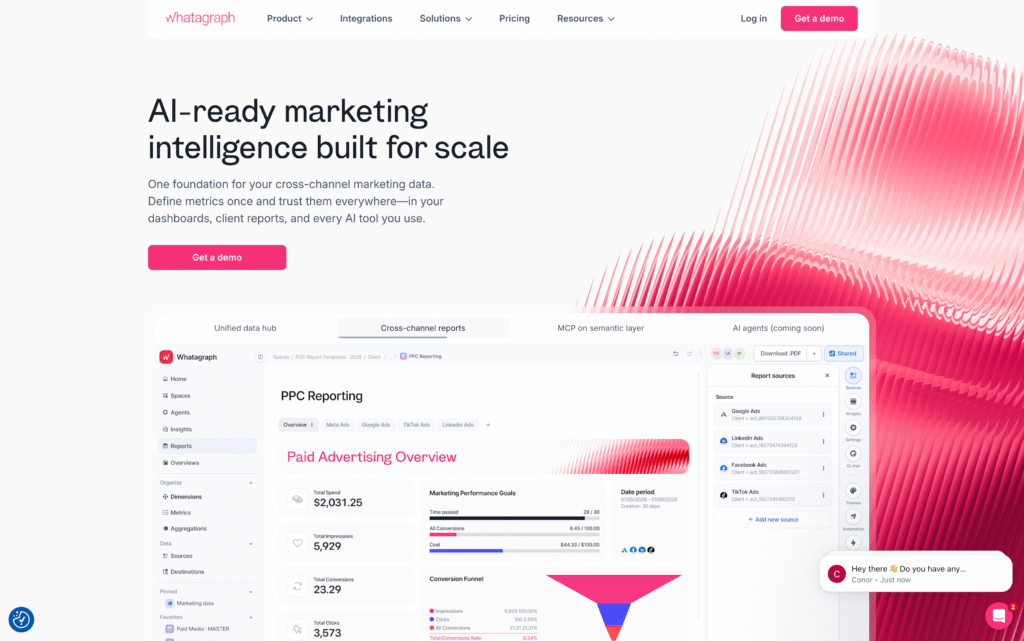
Whatagraph launched in 2015 and is based in Amsterdam. It is one of the more established names in marketing reporting, used by well over a thousand agencies and in-house teams, including some large, recognizable brands.
It is a mature, well-funded platform with a deep feature set and a track record to match. Whatagraph is built for teams that report across many channels and clients, and its product and pricing both reflect that focus on scale.
Analyse8

Analyse8 is the newer, independent option, built by a small founder-led team. It was designed AI-first from day one, which means the conversational chat is the core of the product rather than a feature added later.
The goal was simple: let a founder, freelancer, or small agency get real answers and insights from their marketing data without hiring a data team or learning a heavyweight reporting suite.
Pricing
This is the biggest gap between the two, so we will start here.
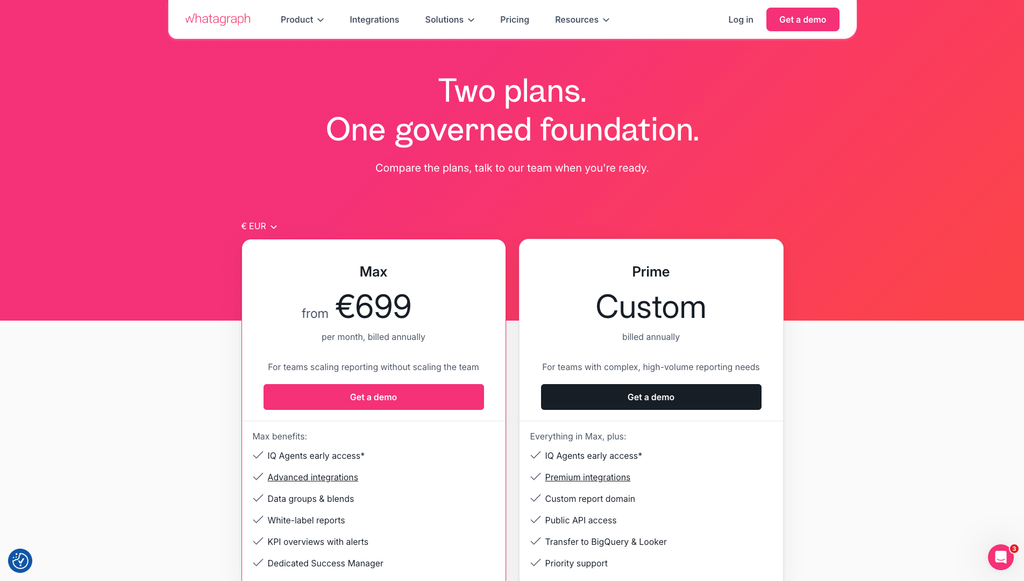
Whatagraph restructured its pricing in 2026. The older cheaper tiers were consolidated, and the main published plan now starts high, with a custom enterprise plan above it. There is a free trial, but no permanent free plan and no monthly billing option. Whatagraph also prices on source credits, where each connected data account uses one credit, so your cost climbs as clients add channels or you take on more accounts. Some integrations and white-labeling have historically sat on higher tiers, so it is worth checking which plan actually covers the connectors and features you need before you commit.
Whatagraph plans
| Plan | Price | What you get |
|---|---|---|
| Free trial | 0, ~14 days, no card | Time-boxed access to test the platform |
| Max | from ~699 euro/mo, billed annually | 50+ source credits, white-labeling, AI reporting, dedicated support |
| Prime | Custom quote | 100+ credits, premium integrations, warehouse export, SSO, enterprise controls |
Analyse8 plans
| Plan | Price | What you get |
|---|---|---|
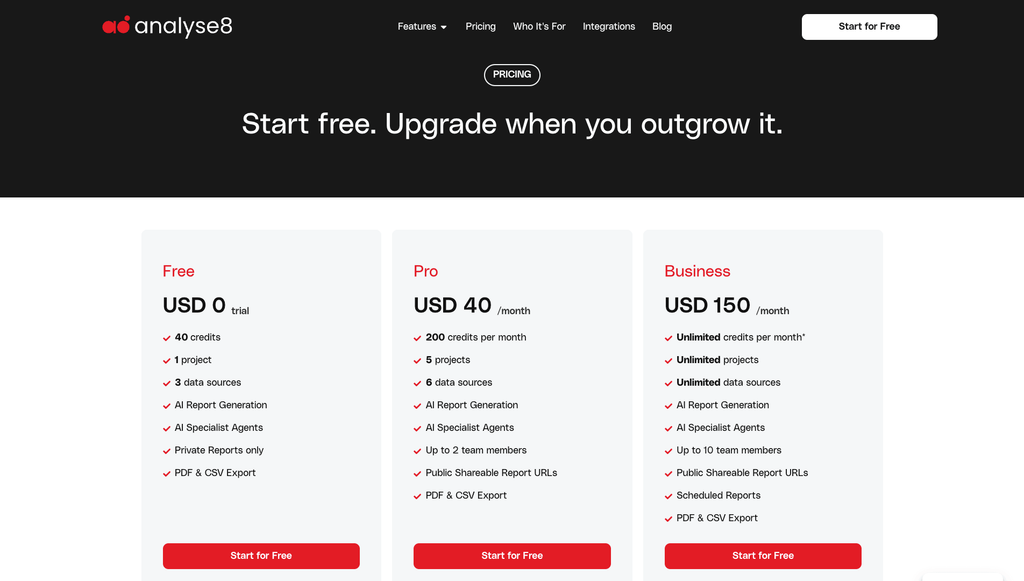
| Free | 0, no card | Credits to try it, 1 project, connect a data source |
| Pro | 40 USD/mo | 200 credits/mo, multiple projects, several data sources, up to 2 team members |
| Business | 150 USD/mo | Unlimited under fair use, unlimited projects and data sources, scheduled reports, up to 10 team members |
| SEO Tools add-on | 10 USD/mo | Keyword research, SERP analysis, backlink checker, on-page analysis (500 credits/cycle) |
Side by side pricing comparison
| Whatagraph | Analyse8 | |
|---|---|---|
| Entry paid price | ~699 euro/mo | 40 USD/mo |
| Billing | Annual commitment | Month to month |
| Permanent free plan | No | Yes |
| Self-serve checkout | No, sales call | Yes |
| Usage model | Source credits (per connected account) | Credits (per AI action) |
For a freelancer or a boutique agency, that is not a rounding error. It is the difference between a tool you expense today and a four-figure line item you have to justify. Confirm current numbers on each site before you decide, since pricing on both sides changes.
See our full plan breakdown on the pricing page.
| Feature | Whatagraph | Analyse8 |
|---|---|---|
| Conversational AI chat | Yes, inside the platform | Yes, the core product |
| AI report generation | Yes, build from a prompt | Yes, build from a prompt, or add any chart from chat into a report |
| AI written summaries | Yes, multilingual | Via chat and AI Specialists |
| Pre-built AI expert agents | Task-automation agents (higher plans) | AI Specialists: SEO, Instagram growth, blog writing |
| Integrations | 60+ sources | Major Google and Meta channels, growing |
| Data blending and custom formulas | Yes | Not the focus |
| Report templates | 100+ pre-made | Pre-made templates plus fully custom reports from prompts |
| Brand customization (colors, fonts, logos, cover pages, icons) | Yes, themes and branding | Yes, highly customizable |
| White-label reports | Yes, custom report domain on top plan | Your logo and colours, with a small "Prepared on Analyse8" note |
| Scheduled and automated reports | Yes | Yes, on Business |
| Share links and PDF export | Yes | Yes |
| Data warehouse export (BigQuery, Snowflake) | Yes, higher plans | No |
| Multi-client management | Yes, multi-client workspaces | Projects, unlimited on Business |
| User roles and seats | Role-based access, unlimited users | 2 seats on Pro, 10 on Business |
| Free plan | Trial only | Yes |
| Time to first insight | Setup plus onboarding call | Minutes, self-serve |
Where Whatagraph is strong, and where it gets pricey
Credit where it is due. Whatagraph has a large integration library, deep report customization, data blending across sources, and responsive support with a dedicated success manager on its paid plans. Reviewers consistently praise the polish of the finished reports and how fast the support team replies. If you report across many platforms and want granular control over every widget, it delivers.
The trade-offs show up on cost and complexity. The source-credit model means your bill grows as clients add channels, and there is limited flexibility to add capacity without moving up a tier. Some integrations and white-labeling have historically been gated to higher plans, so the plan you need is often driven by one client’s toolset rather than your overall size. And several reviewers mention a real learning curve, you have to get used to how Whatagraph builds things before it feels fast. For a larger team with time to invest, that is fine. For a solo operator or a small shop, it is a lot of platform and a lot of cost.
Analyse8 features up close
Here is what the day to day actually looks like in Analyse8. Screenshots slot in under each one.
Chat with your data in plain English
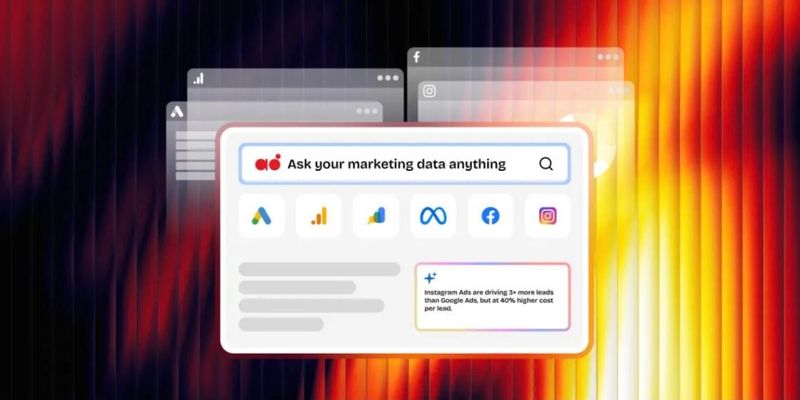
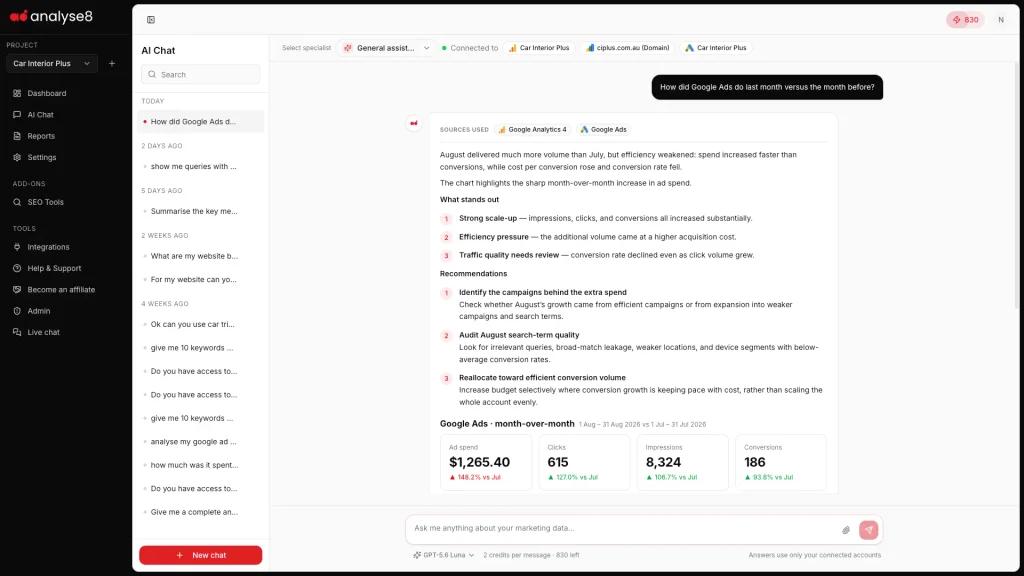
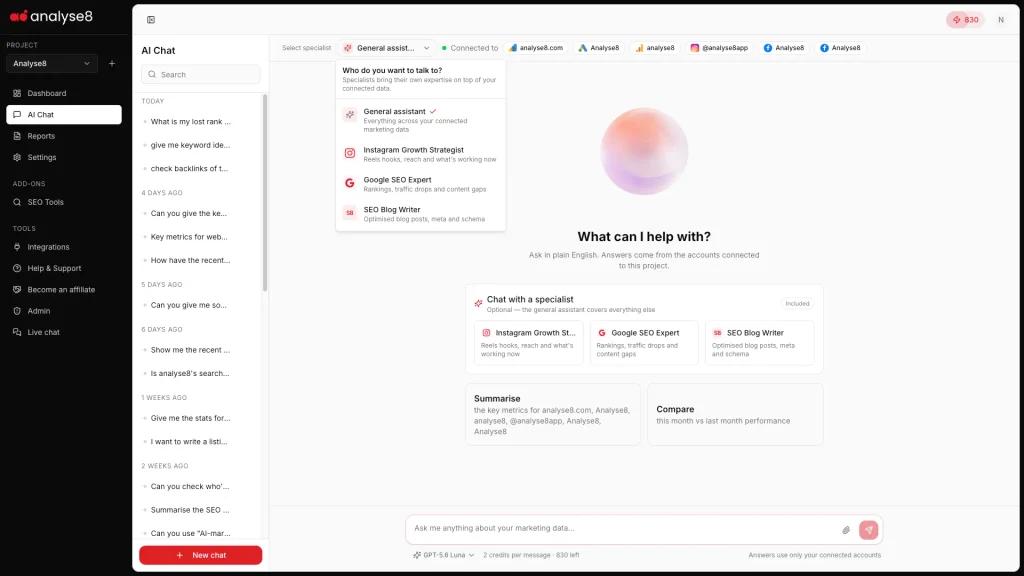
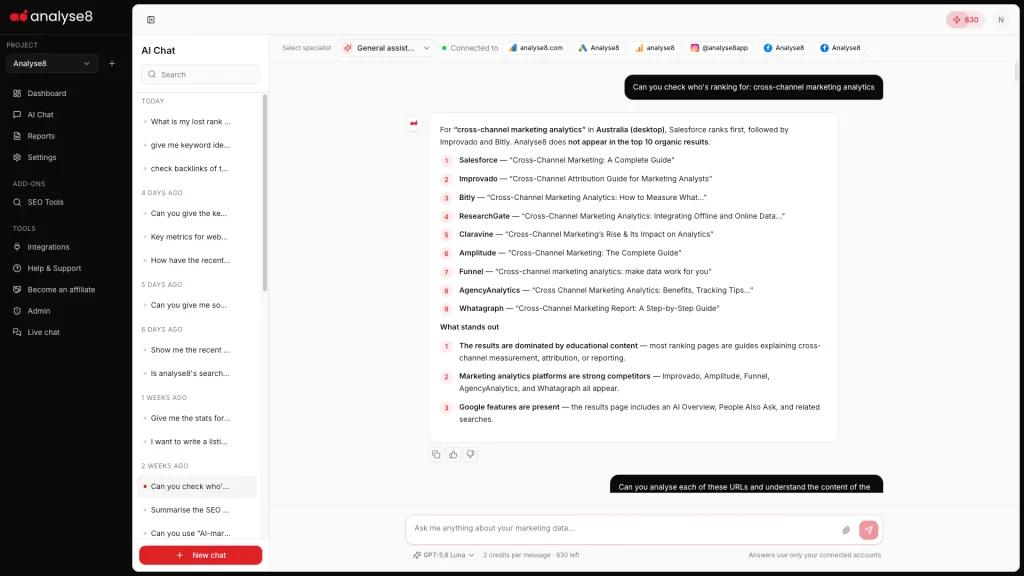
Ask a question the way you would ask a colleague. “How did Google Ads do last month versus the month before?” or “Which Instagram posts drove the most reach?” You get a clear answer with the numbers and a chart, then you follow up and dig deeper. No query builder, no manual setup.
Learn more about AI Conversational Analytics →
Build a report from a prompt, or drop in a chart from chat
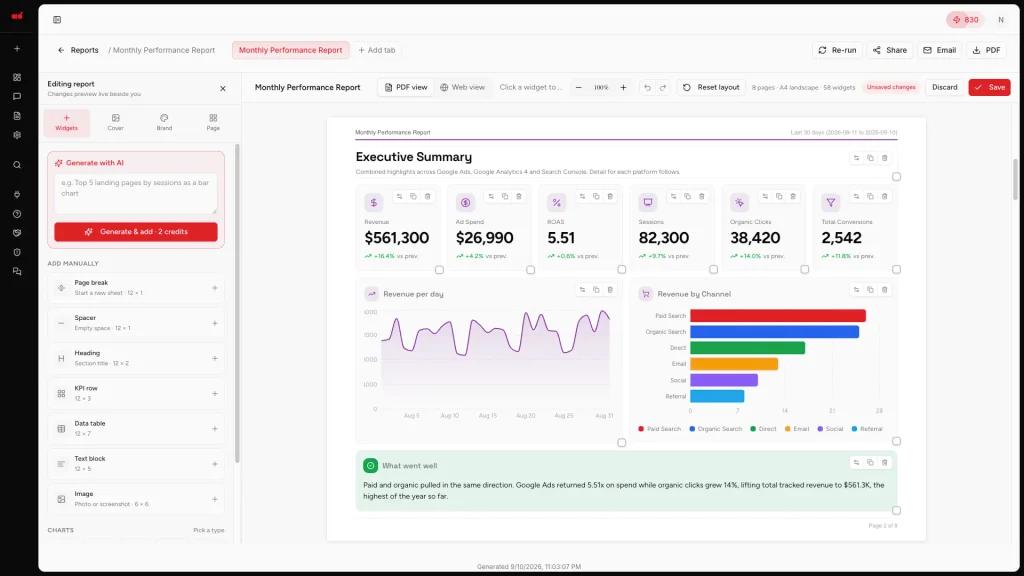
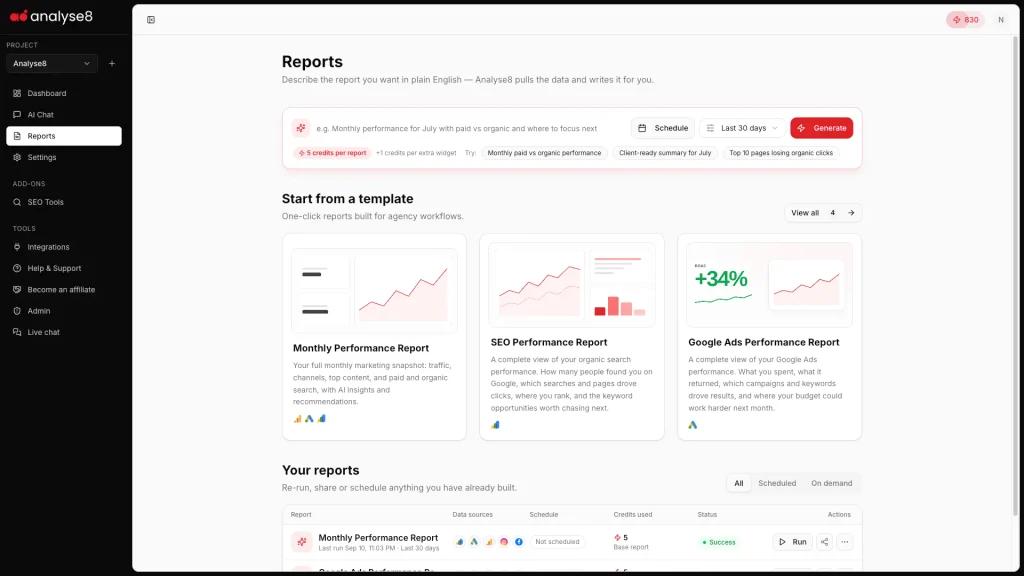
Reports are not a separate, blank-canvas chore. Describe the report you want and Analyse8 builds it, or take any chart from a chat answer and add it straight into a report. You start from something finished and adjust from there.
Learn more about AI-powered Client Reporting →
Start from a template or go fully custom
Pick a pre-made template to move quickly, or build a completely custom report using prompts. You are not locked into a fixed layout, and you are not stuck starting from scratch either.
Make every report look like your brand
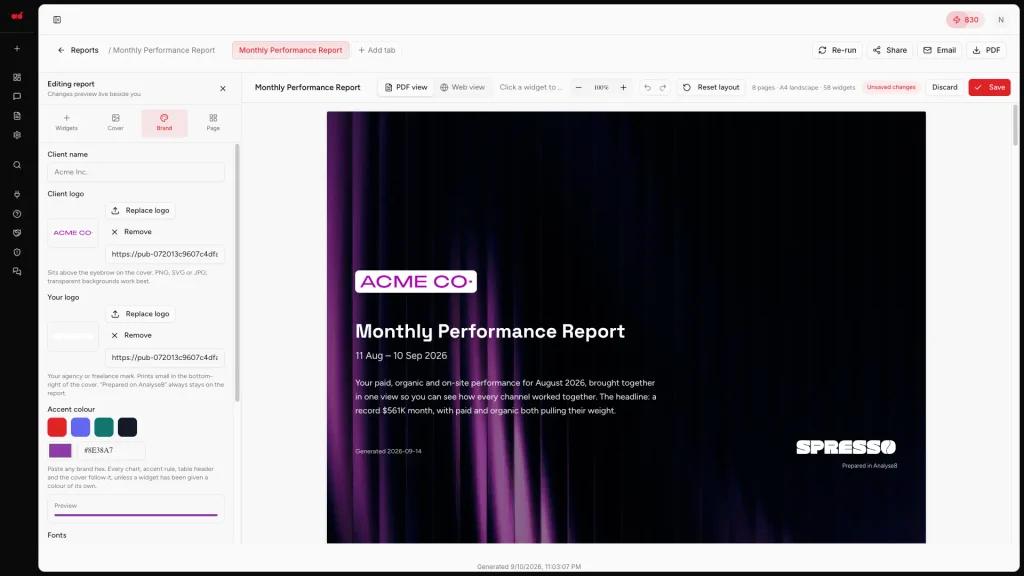
Analyse8 reports are highly customizable. Set your brand colours and fonts, add your logo, design a cover page, and swap in icons so the report looks like it came from you, not from a tool. For agencies and freelancers sharing work with clients, this is the difference between generic and professional.
AI Specialists for SEO, Instagram, and content
Beyond the chat, Analyse8 includes pre-built expert agents: a Google SEO Expert, an Instagram Growth Strategist, and an SEO Blog Writer. They are like having a focused specialist on call for the tasks you repeat most.
Learn more about AI Specialists →
Share reports your way
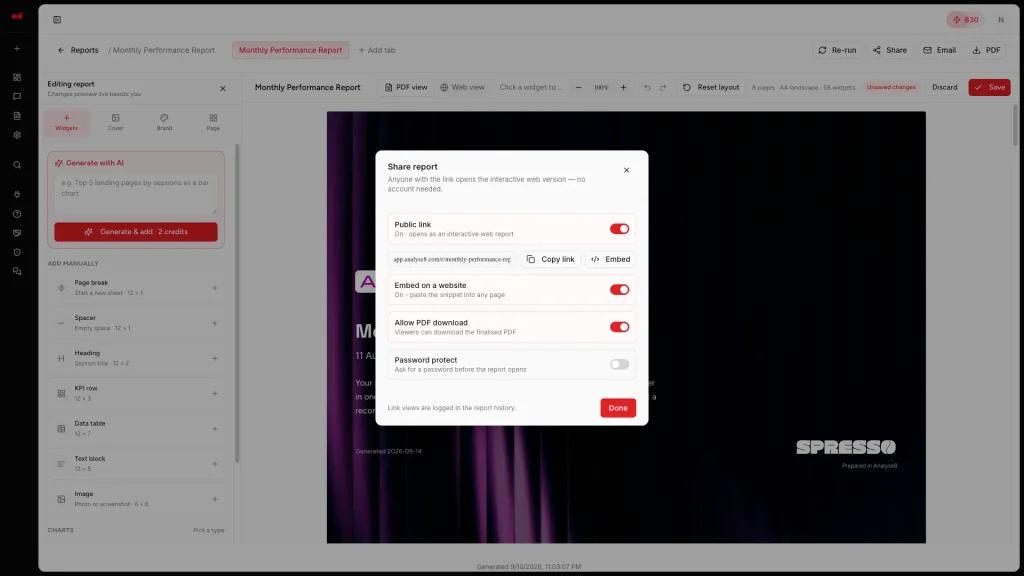
Export a branded PDF, send a public share link on Pro and Business, or schedule reports to go out automatically on any plan. Getting the report to the client is as simple as the rest of it.
SEO Tools Add-On
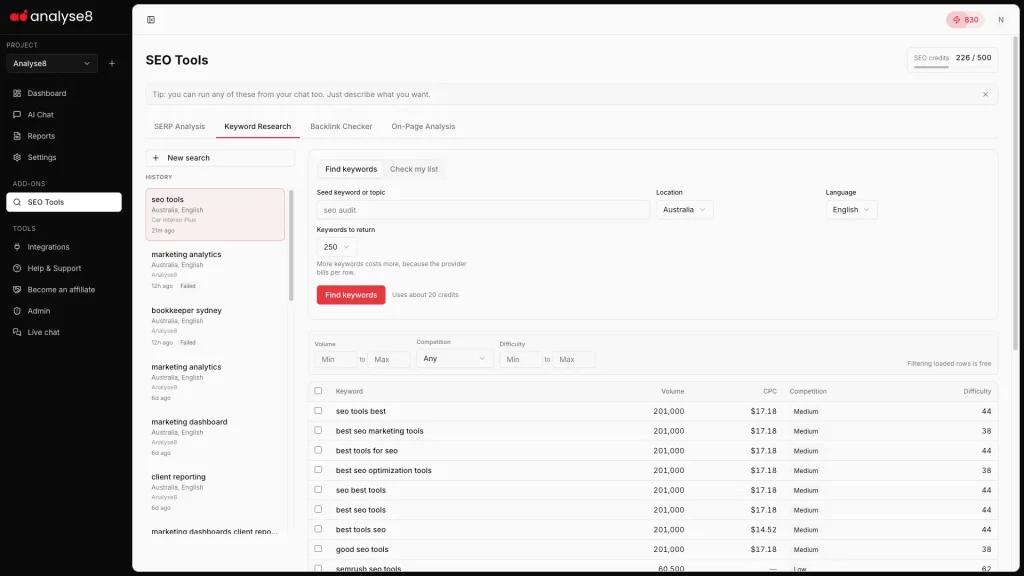
If SEO is part of your work, there is also an optional SEO Tools add-on with keyword research, SERP analysis, a backlink checker, and on-page analysis. Use it as a standalone tool or just ask inside the AI chat.
Learn more about SEO Tools Add-On →
Pros and Cons
Whatagraph
Pros
- Huge integration library (60+ sources)
- Polished, branded client reports at scale
- Data blending, custom metrics, warehouse export
- Strong support and dedicated success manager
- Well reviewed and established
Cons
- Expensive, entry plan is four figures per month
- Annual contract only, no monthly or permanent free plan
- Source-credit model means costs climb as clients grow
- Some integrations and white-label gated to higher tiers
- Learning curve for non-technical users
Analyse8
Pros
- Chat-first, plain English, no learning curve
- Reports built from prompts, plus templates and full customization
- Highly customizable branding (colours, fonts, logos, cover pages)
- Free to start, monthly billing, self-serve
- Much cheaper, fast time to first insight
Cons
- Fewer integrations today (Google and Meta focus)
- Newer product with a smaller track record
- Not built for warehouse-grade reporting or heavy data blending
- Fewer seats on lower tiers
- Fewer third-party reviews to lean on so far
Who should choose Whatagraph
- Mid-size or larger agencies and in-house teams reporting across many channels
- Anyone who needs deep white-labeling, data blending, custom formulas, or warehouse exports
- Teams that report at scale and want templates and multi-client workspaces
- Businesses that can commit to annual billing and a larger budget
Who should choose Analyse8
- Founders, freelancers, and small or boutique agencies focused on Google and Meta
- Anyone who wants plain-English answers and branded reports without learning a report builder
- People who want to start free and pay monthly, not sign an annual contract
- Teams that value speed to first insight over sheer breadth of connectors
The honest bottom line
Whatagraph is the more powerful, broader, more expensive platform, and for teams that need all of that, it earns its price. Analyse8 is the faster, simpler, far cheaper way to talk to your marketing data and turn the answers into reports your clients actually like, if your world is mostly Google and Meta.
Different tools for different stages. If you have outgrown spreadsheets but a four-figure monthly platform is overkill, that gap is exactly where we built Analyse8 to sit.
You can try it free, no card, and see if chatting with your data beats building another dashboard.
Try Analyse8 free